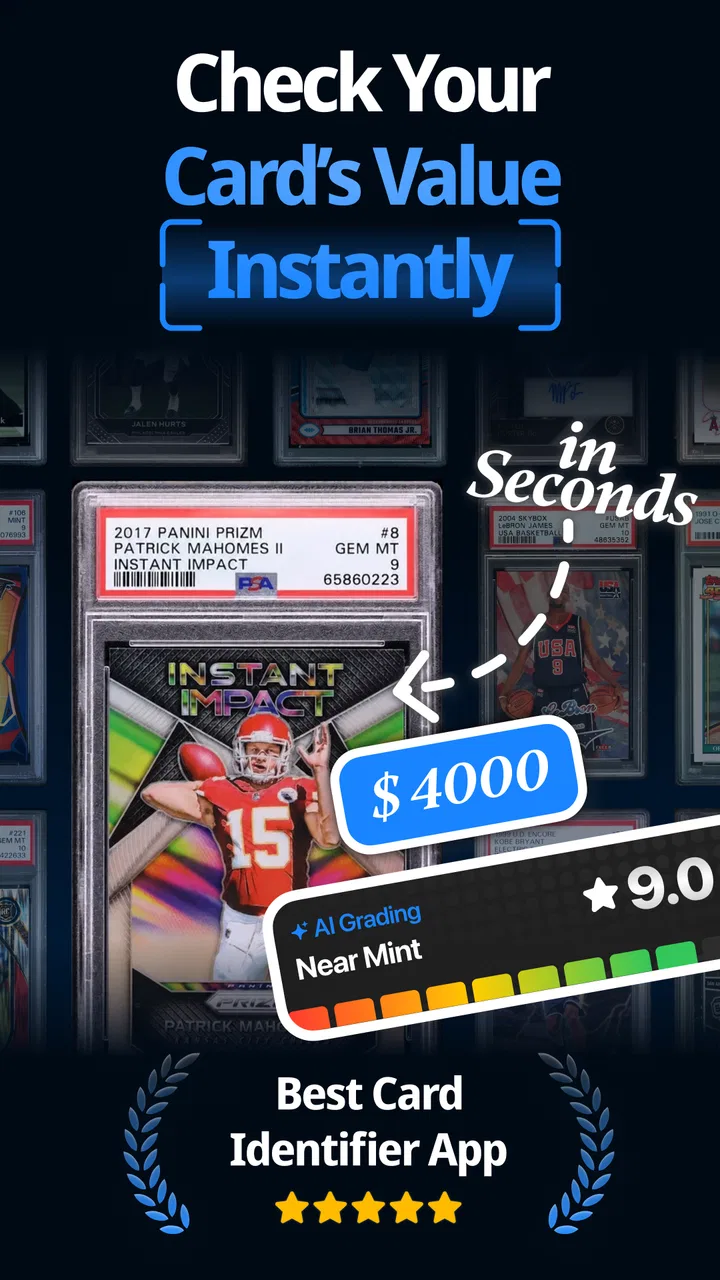
Cardly AI: Sports Card Scanner
- 4.7
- Rating
- 100.00K
- Installs
- Free
- Price

 Analysis by App-foxy
I found Cardly AI: Sports Card Scanner most interesting when I stopped treating it as a novelty and used it as a small organizing tool for a real card collection. It is a free tools app from Scate that focuses on grading, collecting, and valuing cards, with artificial intelligence at the center of the experience. The promise is easy to understand: instead of manually identifying every card and searching through several marketplaces or reference pages, I can use the app as a first step toward understanding what is in front of me.
That first step is also where the app makes its strongest impression. Card collecting often involves boxes of cards, uncertain identities, different editions, and the temptation to check the value of everything at once. A scanner built for that moment feels practical. In my experience, the appeal is not simply seeing a result appear on screen. It is the possibility of turning an unstructured pile into a collection I can review, sort, and think about more carefully.
The important question, though, is whether that usefulness survives the first enthusiastic session. A tool can be fun to try and still fail to become part of a collector’s routine. I looked at Cardly AI with that distinction in mind: where it saves time, where I still need to verify its work, and what kind of collector is likely to keep opening it after the initial curiosity fades.
You May Also Like

 Blood Strike: 2.5 Anniversary
Blood Strike’s Loadouts Turn Every Drop Into a Tactical Gamble
A close look at Blood Strike’s custom loadouts: how fast access to signature weapons reshapes its battle royale rhythm, rewards preparation, and narrows the gap between fights.

 Pandora - Music & Podcasts
Pandora’s Music Is Easy to Start, but Harder to Recover
Pandora’s strength is its low-effort path from a seed to a station. Its weak spot is how much confidence it asks you to place in connection, setup, and quiet recovery.

 8 Ball Pool
 Is Built on Rivalries, Rematches, and Routine
A close look at the rivalries, rematches, shared routines, and unanswered safety questions that turn a quick pool match into a persistent mobile community.

 Samsung Music
’s Quiet Strength Is Playing What You Already Own
Its reach comes less from spectacle than from dependable access to a personal library. That simplicity is both the app’s strongest retention engine and its ceiling.

 AccuWeather: Weather Radar
AccuWeather Review: A Quick, Clear Forecast for Everyday Decisions
For everyday plans, the best forecast is the one you can understand quickly. AccuWeather makes rain timing, radar, and local conditions easy to act on, with a few trade-offs.

 Hill Climb Racing
Why Hill Climb Racing Still Turns Crashes Into One More Run
A tiny car, a bumpy hill and one more upgrade: Hill Climb Racing keeps resurfacing because its simple chaos makes every near-miss feel personal.
More From Our News Desk



What the first week feels like
The first week is naturally the most engaging period. I can pick a few cards, scan them, and immediately get a more structured view of what I own. That creates a satisfying sense of progress, especially for someone who has inherited a collection or recently returned to sports cards after a long break. The app gives the collection a clear starting point instead of asking me to learn every detail before I can do anything useful.
I would begin with a small, representative batch rather than photographing an entire collection at once. Mixing common cards, older-looking cards, and a few cards I already recognize is a better test than scanning only the most valuable items. It lets me judge whether the results are consistent and whether the app helps with cards I cannot identify easily. This is one of the most useful early workflows because it prevents an impressive result on one card from creating too much confidence in every later result.
The grading and value angle also changes how I look at a card. A collector may initially ask, “What is this worth?” but the more useful follow-up is, “What should I do with this information?” A scan can help me decide which cards deserve closer inspection, which belong in a general storage box, and which might justify checking condition, edition details, or current market context through another source. That makes the app more useful as a sorting assistant than as a final authority.
For a realistic everyday example, imagine clearing out a family member’s sports-card boxes before moving house. I would not need a perfect catalog on the first evening. I would need a quick way to separate cards that appear ordinary from cards worth setting aside. Cardly AI can fit that first pass: scan a manageable group, record the promising items, and avoid spending an hour researching every common card individually.
The app is also approachable for people who know the hobby casually. Someone who recognizes teams and players but does not understand every variation can use an AI-guided tool as a learning aid. It may help connect the visual details of a card with the language collectors use when discussing condition and value. That learning role is more important than it sounds, because the barrier to collecting is often not the cards themselves but the uncertainty around what details matter.
Still, I would not make a buying or selling decision from a single scan. Sports cards can vary because of condition, print differences, parallel versions, autographs, serial numbering, and market timing. Even when an identification looks convincing, the result should be treated as a lead. My preferred first-week habit is to use the app to create a shortlist, then manually inspect the physical card and compare the result with a trusted reference before assigning serious financial importance to it.
The app’s public reception suggests that many people find the basic idea useful. It has a 4.7 average from around 17 thousand ratings, and its reach has passed 100 thousand installs. Those figures make Cardly AI look established enough to invite a trial, but they do not remove the need for personal testing. A collection’s mix of sports, eras, brands, and card conditions can produce a very different experience from one user to another.
Use it as a funnel, not a verdict
The most valuable mental model is to treat Cardly AI as a funnel. At the wide end, it helps me move through a large pile quickly. In the middle, it helps me identify cards that deserve attention. At the narrow end, I still make the careful decision about condition, authenticity, comparable sales, and whether selling or keeping makes sense.
This approach avoids two common mistakes. The first is dismissing the app because it does not replace specialist research. The second is trusting an automated result as if it were a professional appraisal. The app does not need to do everything to be useful. It only needs to reduce the amount of repetitive work before I reach the part that requires human judgment.
Where the monthly value comes from
After the first week, the novelty fades unless the app becomes connected to a recurring activity. For me, the strongest long-term use is collection maintenance. New cards arrive, old cards are rediscovered, and priorities change. A tool that helps me revisit the collection can remain useful even when I am no longer scanning simply to see what happens.
One practical routine is a monthly review of cards acquired since the previous session. I can scan the new additions, compare them with the cards already set aside, and decide which ones need sleeves, closer inspection, or further research. This is more sustainable than trying to process the entire collection in one exhausting weekend. Smaller sessions also make it easier to notice mistakes because I am not rushing through hundreds of cards.
Another useful routine is preparing for a conversation with a buyer or fellow collector. Before discussing a group of cards, I can use the app to build an initial picture of the lot and identify questions I need to answer. That does not mean presenting every automated result as fact. It means arriving better prepared, with fewer unknowns and a clearer idea of which cards deserve independent checking.
Collectors who trade frequently may get more recurring value than people who rarely touch their cards. The app is most helpful when the collection is changing. If I buy only a few cards each year and already know how to research them, the benefit may be limited. In that situation, a spreadsheet, a notebook, or a specialist database may be enough, especially if I care more about long-term records than quick identification.
There is also value in using the app to create a personal decision filter. I can establish a rule such as: scan first, inspect second, research only the cards that pass a chosen threshold. The threshold might be an interesting player, an unusual design, a possible numbered card, or simply a card in unusually good condition. This keeps the app from becoming an endless valuation machine and turns it into a way of protecting my time.
The free entry point helps with that experimentation. I can try the basic workflow before deciding whether it deserves a permanent place in my collecting habits. At the same time, the app includes in-app purchases ranging from $0.99 to $49.99 per item, so I would pay attention to how often the paid options become relevant to my routine. A low-cost occasional purchase may be reasonable for a serious collector, but repeated spending should be judged against the amount of time and uncertainty the app actually removes.
That trade-off matters because the app’s value is not identical for every collection. A large, mixed collection can make time savings meaningful. A small collection of already-known cards may not. I would evaluate the purchase path only after using the free experience on the cards I actually own, rather than assuming that a larger feature set automatically improves the result.
A better workflow for repeat use
My preferred repeat workflow would be deliberately conservative. I would scan in batches, keep the physical cards in the same order during each session, and mark uncertain results for later review instead of immediately correcting everything. Then I would compare the uncertain cards with the original images and my own notes. This creates a useful separation between collecting information and making decisions.
I would also avoid using a value estimate as a reason to handle a card repeatedly. If a scan flags something as interesting, the next step should be careful storage and verification, not more casual photographing. That small change in behavior protects the card and keeps the app in its proper role: helping me notice possibilities without encouraging careless treatment of physical collectibles.
Maintenance, friction, and the work around the scan
Any scanner app creates a maintenance burden that is easy to overlook. The scan itself may take only a moment, but a useful collection record depends on consistent handling afterward. I still need to keep cards organized, separate uncertain identifications, and decide which information is important enough to preserve elsewhere. If I scan without a follow-up system, I may simply replace a pile of unsorted cards with a pile of unreviewed results.
This is why I would not use Cardly AI as my only record for a serious collection. For casual discovery, the app can be enough to guide the next step. For insurance, estate planning, detailed inventory, or a valuable sale, I would keep an additional record with the card name, condition notes, purchase details, and any evidence supporting the value. The app can shorten the research process, but it should not be the sole memory of what I own.
Lighting and presentation are another practical consideration. A card scanner depends on what the camera can see, so glare, shadows, protective sleeves, and crowded backgrounds can make the process less comfortable. I found that a consistent setup is worth the small effort: a flat surface, even light, and one card at a time when the design is difficult to distinguish. This is not glamorous, but it improves the quality of the whole workflow and reduces the temptation to blame the app for a poor image.
Protective sleeves create a genuine trade-off. Removing a card from a sleeve may make visual details easier to capture, but handling a potentially valuable card just for a scan is not always sensible. I would first try scanning it while protected and only consider another approach if the result is clearly uncertain. The safest workflow is more important than squeezing a perfect identification out of every attempt.
Version 1.7.2 shows that the app is being maintained as a current product, which is reassuring for anyone considering it as a recurring tool. I still judge maintenance by my own habits rather than by version numbers. If I am not willing to review results, correct obvious mistakes, and keep the physical collection organized, no scanning app will solve the underlying problem.
The age rating is Everyone, which makes the app approachable for households where younger collectors are involved. That does not change the need for adult judgment around purchases, trades, and claims about value. A child can enjoy identifying cards and learning about a collection, while an adult handles decisions involving money or valuable items.
What can cause fatigue over time
The first source of fatigue is repetition. Scanning a handful of cards is enjoyable; scanning a large box of similar cards can feel like administrative work. If the app does not lead to a clear action, I may start questioning why I am processing every common card. The solution is to scan with a purpose, such as preparing a trade lot or checking recent additions, rather than trying to create a perfect inventory by default.
The second source is uncertainty. An automated identification can be useful and still leave me wondering whether the exact version is correct. That uncertainty is especially tiring when small differences affect value. If I must independently verify every result, the app still saves time during discovery, but it does not eliminate research. Users expecting a one-tap appraisal may become disappointed quickly.
The third source is the gap between estimated value and real-world selling value. A number that looks encouraging does not automatically mean a buyer will pay it. Condition, demand, timing, fees, and the quality of the listing all matter. I appreciate Cardly AI more when I use its valuation feature to prioritize research instead of treating it as a guaranteed price tag.
There is also a psychological fatigue that comes from chasing the most valuable cards. Constantly checking prices can make collecting feel like inventory management rather than a hobby. I would set a boundary: use the app during a planned review, then return to enjoying the cards themselves. That keeps the tool from taking over the reason I started collecting.
Collectors who need deep specialist information may eventually prefer a dedicated reference source, a spreadsheet, or direct marketplace research. Those alternatives are slower in some situations, but they can offer more control over notes, historical comparisons, and personal categorization. Cardly AI is better suited to reducing the first layer of effort than to replacing a complete collection-management system.
On the other hand, people who dislike spreadsheets or do not know where to begin may find the app easier to keep using. Its greatest advantage is not that it makes expertise unnecessary. It gives less experienced collectors a practical first move. That can be enough to turn a neglected box into a collection with some direction.
Who should keep it installed?
I would keep Cardly AI installed if I regularly acquire sports cards, sort inherited collections, or enjoy checking unfamiliar cards before researching them more deeply. It is particularly useful for a collector who wants a quick screening layer and is comfortable treating automated results as provisional. The app earns its space when it saves repeated time across many small sessions.
I would be more cautious if my collection is tiny, highly specialized, or already documented in detail. In those cases, the extra scan may add little. I would also skip relying on it alone for formal valuation, authentication, or a high-stakes sale. A specialist, a trusted reference, or direct market comparison is the better choice when precision matters more than speed.
Scate has positioned this as a tools app rather than a game, and that distinction fits my experience. The satisfaction comes from making a collection easier to understand, not from an elaborate reward loop. That makes it less likely to become a daily entertainment app, but it can become a dependable occasional utility for the right collector.
The lasting value is in the workflow around the scan, not the scan alone. If I scan selectively, verify important cards, and connect each session to a real task, the app remains useful after the initial excitement. If I scan everything without a plan, the results can become another layer of clutter.
My final view is positive but measured. Cardly AI: Sports Card Scanner is worth trying because it lowers the barrier to sorting and understanding sports cards, and its free starting point makes that trial easy. Its 4.7 average and broad user adoption support the idea that the core experience works for many collectors, but personal results will depend heavily on the cards, lighting, and expectations involved.
I would recommend it to a friend who has a box of unknown cards and wants a faster first pass. I would tell that friend to protect valuable cards, verify anything financially important, and build a repeatable routine instead of chasing every estimate. Used that way, the app can earn lasting space as a practical collection assistant. Used as a replacement for careful research, it is likely to become frustrating once the novelty fades.
FAQs for Cardly AI: Sports Card Scanner
01What is Cardly AI: Sports Card Scanner, and what does it do?
Cardly AI: Sports Card Scanner is designed to identify sports trading cards using image recognition and provide useful information about them. After taking or uploading a photo, the app may help recognize the player, team, set, and card details, depending on image quality and database coverage. It is intended as a convenient research tool for collectors, not as a guaranteed professional appraisal service.
02How accurate is Cardly AI when identifying sports cards and estimating their value?
The app can save time when identifying cards, but its results should be treated as estimates rather than definitive answers. Recognition may be affected by glare, poor lighting, blurry images, unusual card designs, language differences, or limited database information. Any displayed market value can change frequently and may not reflect the card’s exact condition, grading, edition, or current selling price.
03Can Cardly AI determine whether a sports card is authentic or professionally graded?
Cardly AI should not be considered an authentication service. A scanner can potentially recognize visual details and compare them with known card information, but it cannot reliably confirm that a card is genuine, unaltered, or professionally graded. For expensive or rare cards, collectors should use a reputable grading and authentication company, inspect provenance, and consult an experienced dealer before making a purchase or sale.
04Which sports cards can I scan with Cardly AI?
The app may support cards from several popular sports and collecting categories, but coverage can vary by league, manufacturer, year, set, and region. Modern cards with clear designs are generally easier for recognition systems to process than vintage, custom, foreign-language, oversized, or heavily damaged cards. Before relying on the app for a large collection, it is wise to test a representative selection of your cards.
05Does Cardly AI require a subscription, and is my collection data private?
Access to Cardly AI’s scanning tools, pricing information, or collection-management features may depend on the current app version and plan offered by the developer. Review the in-app subscription screen carefully for trial periods, renewal terms, and limitations before confirming payment. You should also read the privacy policy to understand how uploaded card images, account details, and collection data are stored or processed.
Pros
- Quickly identifies many sports cards from a phone photo.
- Useful for organizing large collections with less manual data entry.
- AI recognition can save time compared with searching card databases.
- Helps estimate card details such as player
- set
- and year.
- Convenient mobile format for checking cards while buying or trading.
Cons
- Recognition may struggle with damaged
- rare
- or poorly photographed cards.
- Pricing and value estimates can vary from current market conditions.
- Some advanced tools may require a subscription or in-app purchase.
- Results depend heavily on lighting
- camera quality
- and card placement.
- Collectors may need to verify scans manually before selling or trading.

Cardly AI: Sports Card Scanner
Gallery